Diet
If you want to log meals easily
MonthlyPrice in your currency on the App Store
- Food photo analysis2/day
- Re-analyze with edits1/day
- Food text analysis20/day
- AI workout coach—
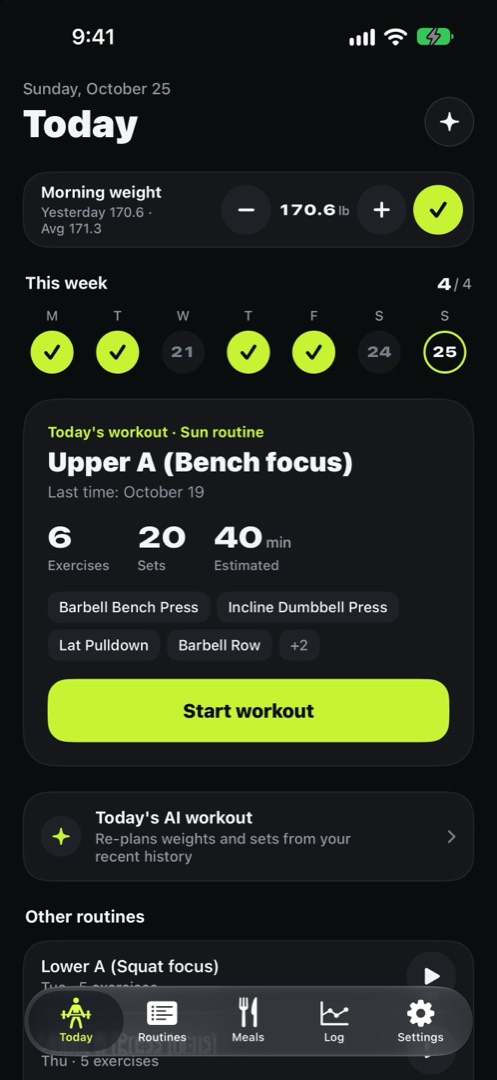
Ristamo is a workout and meal log built to be easy to use at the gym. Hand off sets and rest to your Watch, and snap what you eat. Logging is free; photo analysis and the AI coach are a subscription.
Free download · iOS 26 · watchOS 26 or later
One photo and it splits your meal into foods, then works out portions and nutrition. If a name is off or you ate less, fix it and re-analyze. It recalculates from your edits.
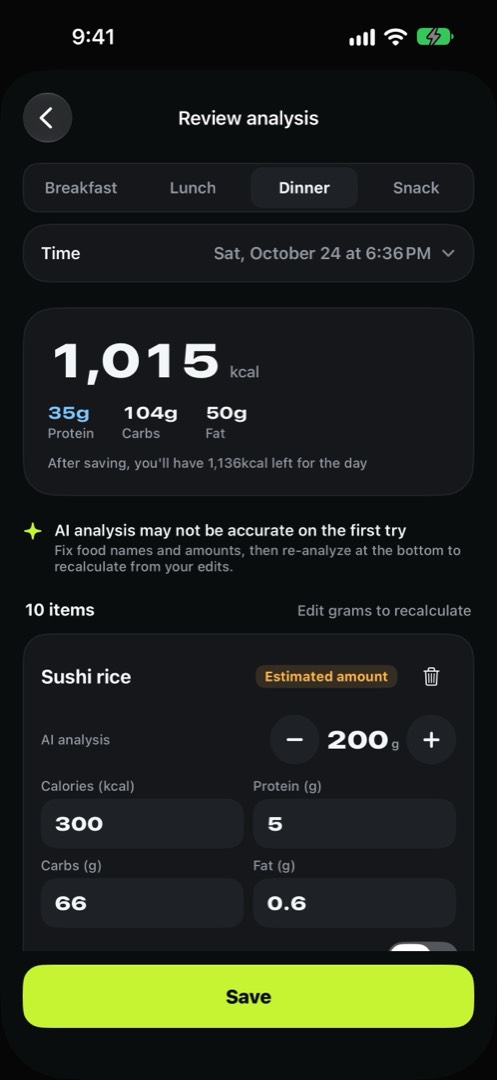
Every item gets its own amount and nutrition, usually in about 10 seconds. Items it isn’t sure about are marked “Estimated amount” or “Needs review”. Change the grams and it recalculates on the spot.
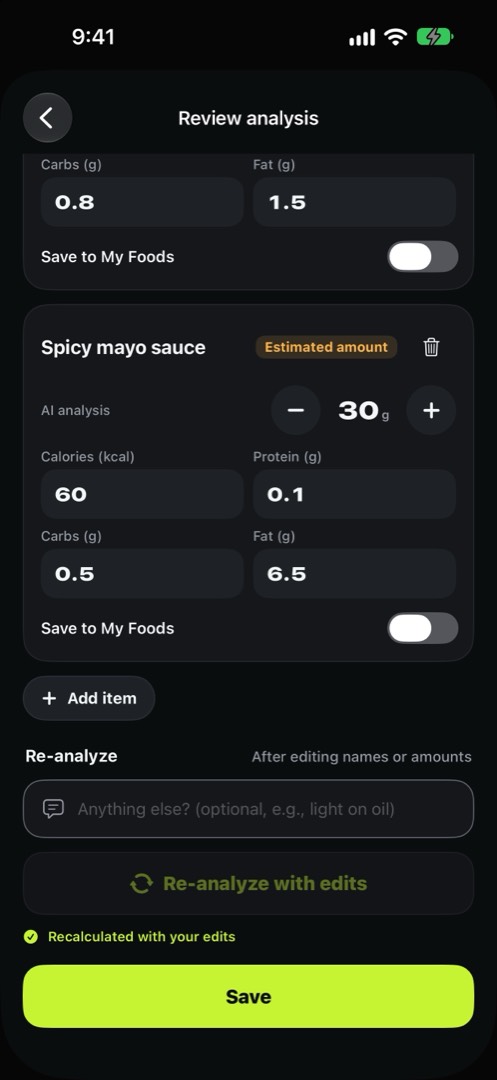
Rename a food, add one that’s missing, or leave a note like “I only had a little of the sauce”. It looks at the photo again too.
From a real salmon poke photo: after the note I only ate about half the rice and just a little of the sauce, it recalculated the spicy mayo sauce.
It looks at your last 4 weeks of logs, your routine and how recovered you are, then plans today’s exercises, weights and sets. It tells you why, too.
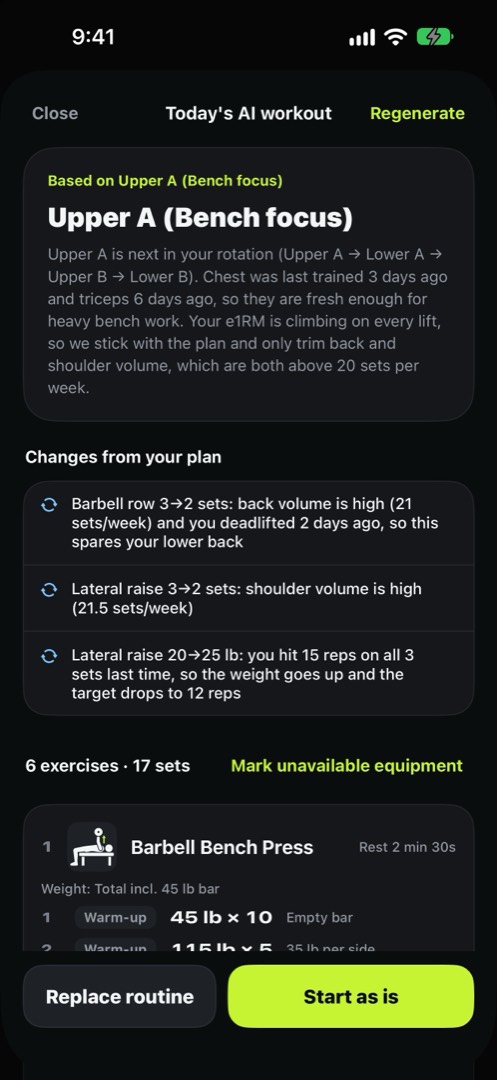
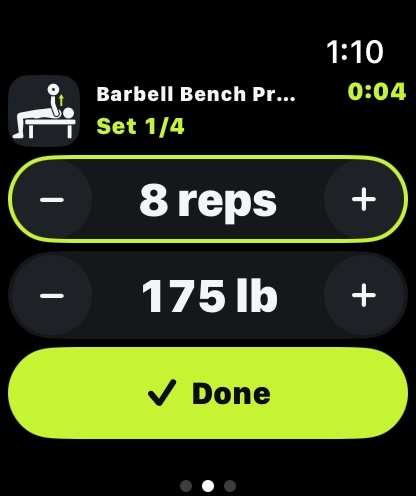
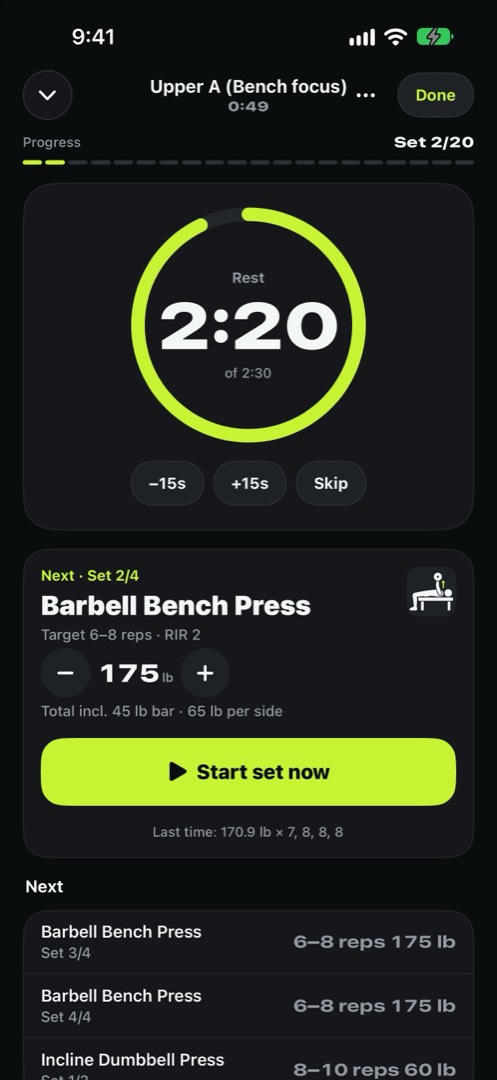
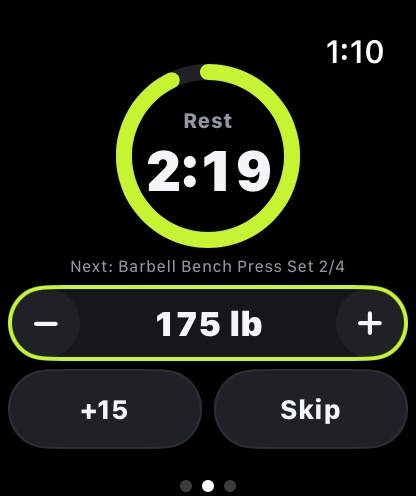
Start a workout on your iPhone and your Watch picks it up right away. Tap once when a set is done, and follow your rest on the ring.
If you want to log meals easily
Meals plus the AI workout coach
If you train every day and log every meal
Workouts, meals and weight are stored on your device and in your iCloud. The developer’s server has none of your logs.
A summary of your logs or a photo is sent only when you tap an AI feature, and the server doesn’t store the content. Workouts work without internet.
Export all your logs as JSON or CSV. They open in Excel too.
You pay with Apple inside the app. Choose a plan under AI in the Settings tab, or the first time you tap an AI feature. Cancel anytime in iPhone Settings > your name > Subscriptions.
New subscribers get 1 week free. Cancel at least 24 hours before the trial ends and you won’t be charged. Logging, the Watch app and stats are all free without a subscription.
Fix the food name and amount, then tap “Re-analyze with edits”. It recalculates from your edits. Changing only the grams recalculates instantly without AI, so it doesn’t use up a try.
Daily limits refill the next day and weekly limits the next week, on Korea time (UTC+9). If you need more, switch to a higher plan. Manual entry and logging keep working.
The app follows your device language: Korean, English, Japanese, Chinese (Simplified and Traditional) or Spanish. AI recommendations and reviews answer in that language too. Weights can be kg or lb (Settings > Weight unit).
No. It’s for iPhone (iOS 26 or later) and Apple Watch (watchOS 26 or later) only.
They’re for reference, based on your recent logs and general training and nutrition guidelines. They aren’t medical advice. If you feel pain, stop exercising and talk to a professional.